01
Short-form video, end to end
Bring a topic. Clipstorm turns it into a vertical reel with a structured script, natural voice, b-roll, and captions.
- Script
- Voice
- B-roll
- Captions
the reels factory
Make your own reel with Clipstorm.
From idea to publish on your channel.
Investing
3 rules for first-time investors.
Tap to play with sound
Run it your way
Automation
Control
claude mcp add clipstorm \
  --transport http https://www.clipstorm.video/api/mcp
Then run /mcp and click Authenticate.
One topic goes in.
A finished reel reaches your review queue.
01 / the production line
One quiet workflow, from first thought to your audience.
A brief, a source, or a saved idea.
A tight reel script: hook, beats, close.
Clipstorm adds voice, b-roll, and captions.
Watch it, tweak it, then approve.
To YouTube, Instagram, and Facebook.
The review gate stays with you. Nothing publishes without approval.
02 / the room
A calm production system between a good idea and a finished reel.
Bring a topic. Clipstorm turns it into a vertical reel with a structured script, natural voice, b-roll, and captions.
Every cut returns to one deliberate place. Refine the script, caption, link, or cover before you approve it.
Schedule approved reels to YouTube, Instagram, and Facebook from one production calendar.
Set cadence and publishing windows, choose the accounts that connect, and retract a post when plans change.
Connect Clipstorm to Claude, ChatGPT, or your terminal. Ask for a short and it lands in your review queue, no dashboard needed.
Inside the app
Get AI suggestions at every step, or shape it yourself.
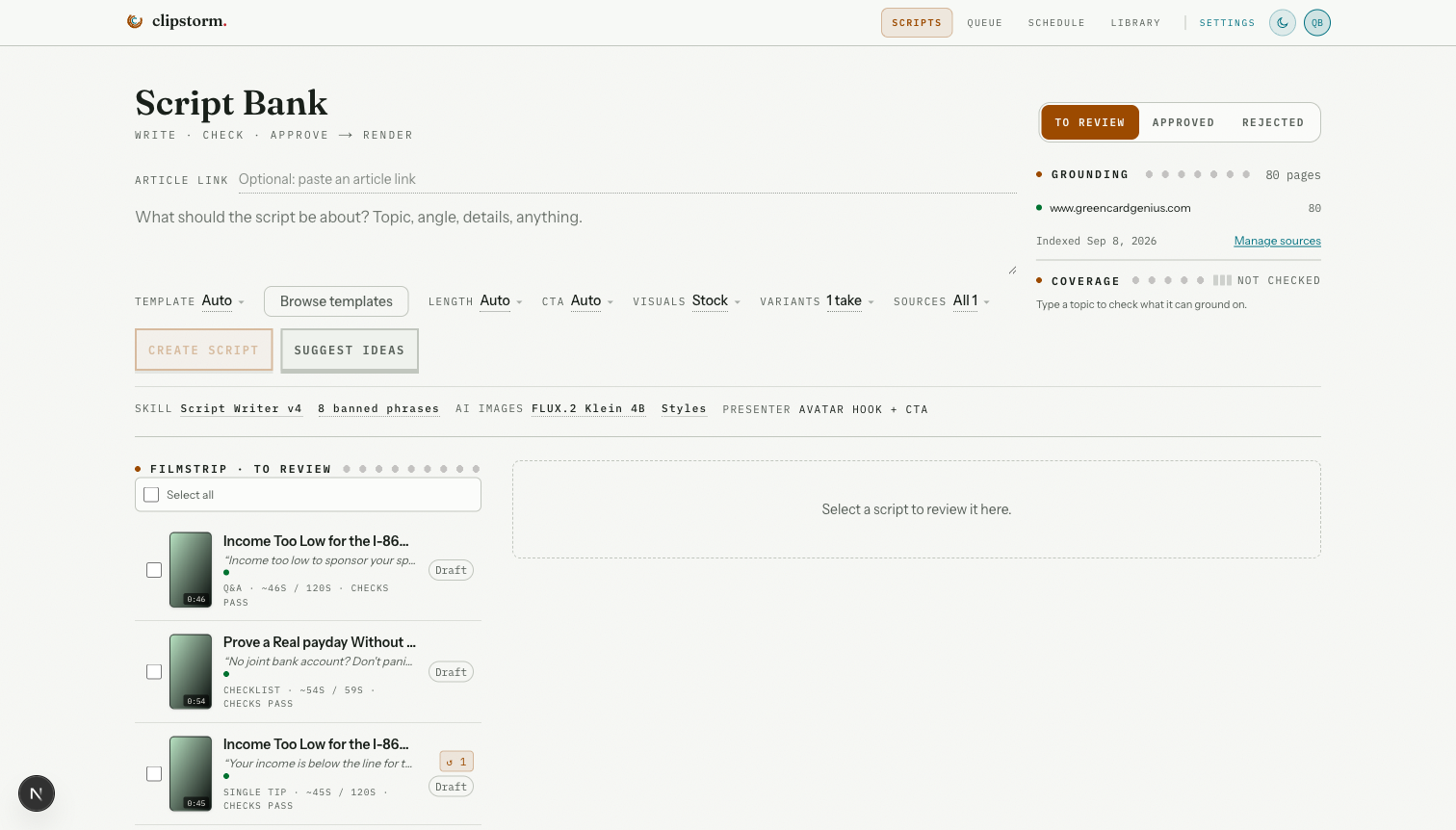
01 / Writers' room
Shape an idea into a tight reel, or let the AI suggest one with the Suggest button. The line stays visible from first draft to final cut.
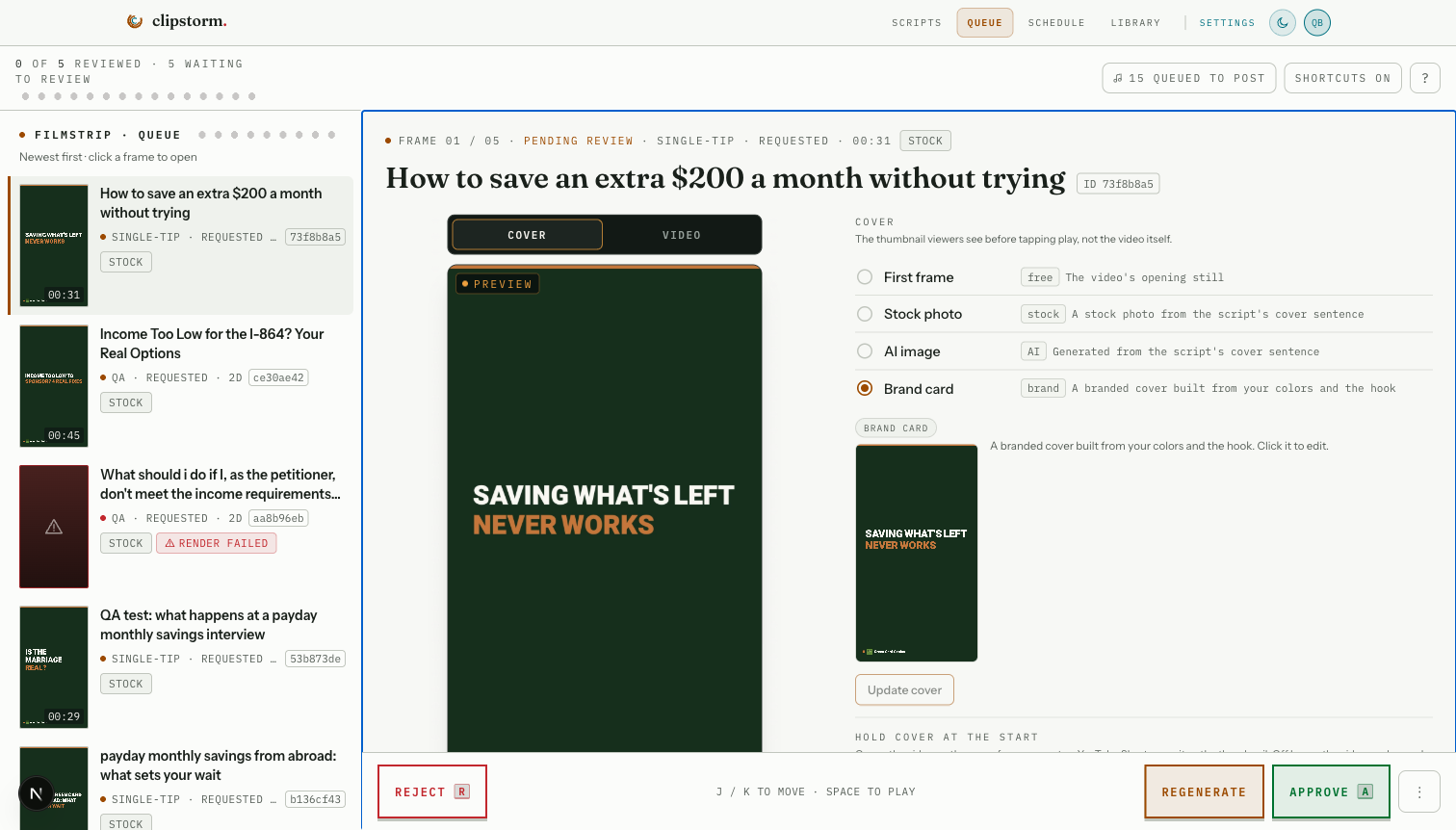
02 / Review queue
Check the cover, the caption, and the final cut in one place. Approve it, or ask the AI to regenerate any part.
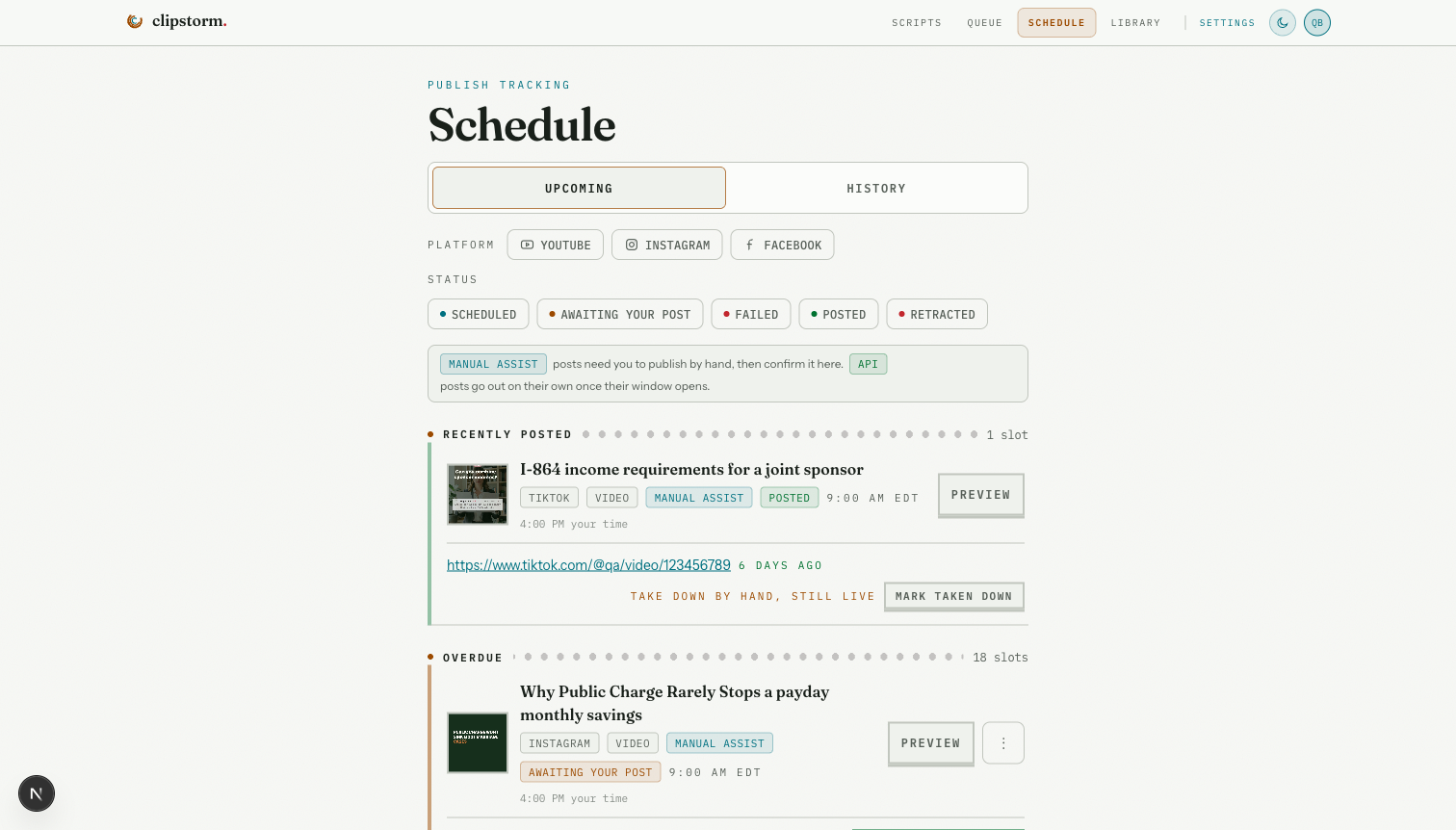
03 / Schedule
Set the cadence once. Keep a clear view of what is next on every channel you connect.
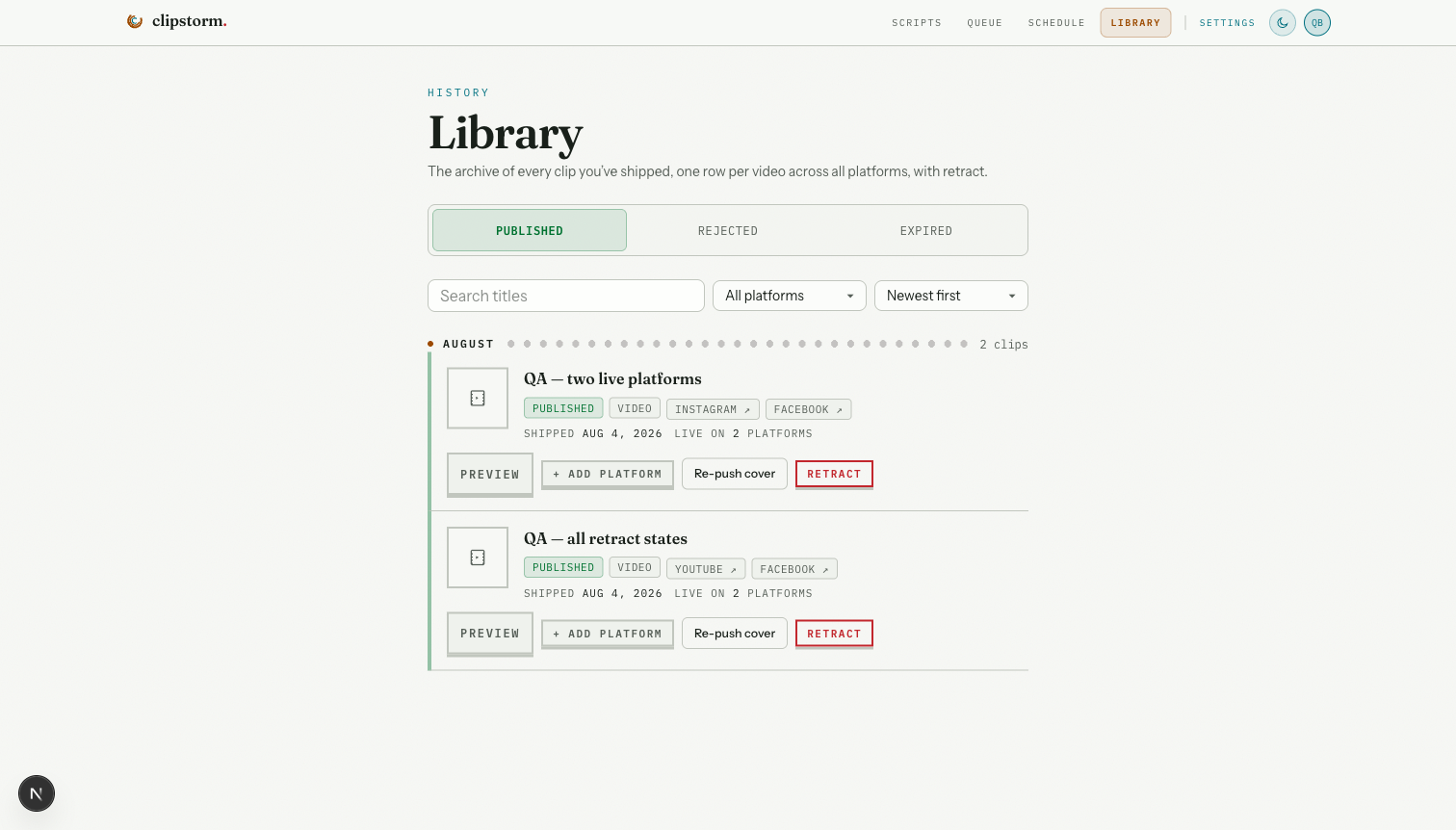
04 / Library
Your published work becomes a usable record. Not a pile of exports scattered across tabs and drives.
03 / distribution ledger
One vertical master. A deliberate publishing record for every platform it reaches.
Shorts distribution
Reels distribution
Reels distribution
Platform copy, covers, timing, links, and retraction history stay attached to the clip, not scattered across tabs.
05 / from your chat
Connect Clipstorm to Claude, ChatGPT, or your terminal over MCP or a REST API. Ask for a short and it lands in your review queue, no dashboard needed.
Connect once
Add the connector in Claude, ChatGPT, or your terminal with one key.
Just ask
Say what the video is about. Your brand, voice, and sources are already set.
Review in one place
The finished cut arrives in your queue. Approve it, or refine first.
Direct to production
Start creating clips right now.
Connect over MCP and skip straight to creation. Sign up, authenticate, and start, all from your agent.
MCP endpoint
https://www.clipstorm.video/api/mcpNow rolling
Clipstorm gives every good idea a path to a finished reel, a careful review, and a place on your schedule.